In today’s digital-first economy, organizations are rapidly adopting Enterprise Software-as-a-Service (SaaS) solutions to improve scalability, reduce operational costs, and enhance agility. However, implementing SaaS is only half the battle—the real challenge lies in integrating these cloud-based applications with existing business systems such as legacy software, on-premise databases, and third-party tools.
Without proper integration, businesses risk creating data silos, inefficiencies, and fragmented workflows. A well-planned integration strategy ensures seamless communication between systems, improves data accuracy, and maximizes return on investment (ROI).
This comprehensive guide will walk you through everything you need to know about integrating Enterprise SaaS with existing business systems—from planning and tools to best practices and common pitfalls.
What Is Enterprise SaaS Integration?
Enterprise SaaS integration refers to the process of connecting cloud-based applications with existing IT infrastructure, including:
- Legacy systems (ERP, CRM, HRM)
- On-premise databases
- Third-party APIs
- Internal business applications
The goal is to enable seamless data exchange and workflow automation across all systems.
Why Integration Matters
Integration is critical for:
- Real-time data synchronization
- Operational efficiency
- Improved decision-making
- Enhanced customer experience
- Reduced manual work
Without integration, even the most powerful SaaS tools can become isolated and underutilized.
Key Challenges in SaaS Integration
Before diving into the process, it’s important to understand the common challenges businesses face:
1. Legacy System Compatibility
Older systems may not support modern APIs, making integration difficult.
2. Data Silos
Different systems store data in various formats, leading to inconsistencies.
3. Security Concerns
Transferring data between systems increases exposure to cyber threats.
4. Scalability Issues
Poorly designed integrations can fail as the business grows.
5. Lack of Standardization
Different SaaS platforms may use different protocols and standards.
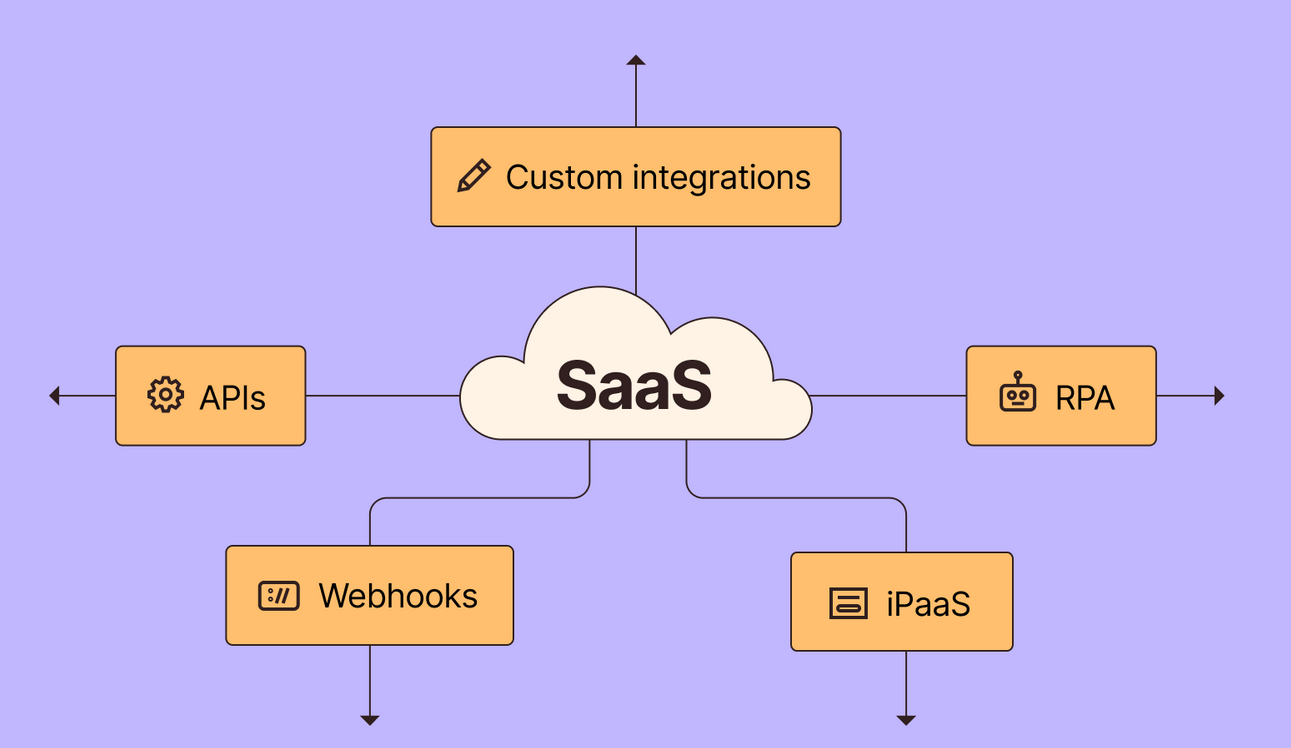
Types of SaaS Integration
Understanding integration types helps you choose the right approach.
1. Point-to-Point Integration
Direct connection between two systems.
Pros:
- Simple to implement
Cons:
- Difficult to scale
- Hard to maintain
2. Middleware-Based Integration
Uses an intermediary platform to connect systems.
Pros:
- Scalable
- Centralized control
Cons:
- Additional cost
3. API-Based Integration
Uses APIs to connect applications.
Pros:
- Flexible
- Real-time data exchange
Cons:
- Requires technical expertise
4. iPaaS (Integration Platform as a Service)
Cloud-based platforms that simplify integration.
Pros:
- Low-code/no-code options
- Faster deployment
Cons:
- Subscription cost
Step-by-Step Guide to SaaS Integration
Step 1: Assess Your Current Infrastructure
Start by analyzing your existing systems:
- What software is currently in use?
- What data needs to be shared?
- Which processes require automation?
Create a system map to visualize dependencies.
Step 2: Define Integration Goals
Clearly outline your objectives:
- Improve data accuracy
- Automate workflows
- Enhance reporting
- Reduce operational costs
Having clear goals ensures alignment across teams.
Step 3: Choose the Right Integration Method
Select the best approach based on your needs:
- Small businesses: API or point-to-point
- Mid-size companies: Middleware
- Large enterprises: iPaaS solutions
Step 4: Evaluate SaaS APIs
Check if your SaaS provider offers:
- RESTful APIs
- Webhooks
- SDKs
- Documentation
A robust API ecosystem simplifies integration significantly.
Step 5: Plan Data Mapping
Data mapping ensures that information flows correctly between systems.
Example:
| Source Field | Target Field |
|---|---|
| Customer Name | Client_Name |
| Contact_Email | |
| Order ID | Transaction_ID |
Consistency is key to avoiding errors.
Step 6: Ensure Data Security and Compliance
Implement strong security measures:
- Encryption (SSL/TLS)
- Authentication (OAuth 2.0)
- Role-based access control (RBAC)
Also ensure compliance with regulations like GDPR or HIPAA if applicable.
Step 7: Develop and Test Integration
Build the integration using:
- Custom code
- Integration tools
- APIs
Testing is critical:
- Unit testing
- Integration testing
- User acceptance testing (UAT)
Identify and fix issues before deployment.
Step 8: Deploy and Monitor
Once deployed:
- Monitor system performance
- Track data flow accuracy
- Set up alerts for failures
Use dashboards for real-time insights.
Step 9: Optimize and Scale
Continuously improve integration by:
- Reducing latency
- Improving data handling
- Adding new system connections
Scalability should always be a priority.
Best Practices for Successful Integration
1. Use Standardized APIs
Standard APIs ensure compatibility and reduce complexity.
2. Adopt a Modular Architecture
Break integrations into smaller components for easier management.
3. Implement Data Governance
Define policies for:
- Data quality
- Data ownership
- Data lifecycle
4. Prioritize Security
Always secure data at rest and in transit.
5. Document Everything
Maintain documentation for:
- APIs
- Workflows
- Data mappings
This helps future troubleshooting.
6. Involve Stakeholders
Collaborate with:
- IT teams
- Business units
- Vendors
Alignment ensures smoother implementation.
Popular Tools for SaaS Integration
Here are some widely used tools:
1. Zapier
- Ideal for small businesses
- No-code automation
2. MuleSoft
- Enterprise-grade integration
- API management
3. Dell Boomi
- Cloud-native iPaaS
- Real-time integration
4. Workato
- Automation-focused
- Easy-to-use interface
5. Apache Camel
- Open-source solution
- Highly customizable
Real-World Use Cases
1. CRM and ERP Integration
Integrating CRM with ERP systems allows:
- Real-time customer data updates
- Improved sales forecasting
- Better inventory management
2. Marketing Automation Integration
Connecting SaaS marketing tools with CRM enables:
- Personalized campaigns
- Lead tracking
- Performance analytics
3. HR System Integration
Integrating HR SaaS with payroll systems ensures:
- Accurate salary processing
- Compliance management
- Employee data synchronization
4. E-commerce Integration
Linking SaaS platforms with e-commerce systems helps:
- Automate order processing
- Sync inventory
- Improve customer experience
Common Mistakes to Avoid
1. Lack of Planning
Jumping into integration without a strategy leads to failure.
2. Ignoring Scalability
What works today may not work tomorrow.
3. Poor Data Management
Inconsistent data leads to inaccurate insights.
4. Overcomplicating Integration
Keep it simple and scalable.
5. Neglecting Security
Security breaches can be costly and damaging.
Future Trends in SaaS Integration
1. AI-Powered Integration
Artificial intelligence is enabling:
- Predictive data mapping
- Automated workflows
- Smart error detection
2. Low-Code/No-Code Platforms
These platforms are making integration accessible to non-developers.
3. Event-Driven Architecture
Real-time processing is becoming the norm.
4. API-First Development
Modern SaaS platforms are built with integration in mind.
Conclusion
Integrating Enterprise SaaS with existing business systems is not just a technical necessity—it’s a strategic advantage. When done correctly, it unlocks efficiency, improves data accuracy, and enhances overall business performance.
The key to success lies in careful planning, choosing the right tools, and following best practices. Whether you’re a small business or a large enterprise, a well-executed integration strategy can transform how your organization operates.
By embracing modern integration approaches and staying ahead of emerging trends, businesses can ensure their systems work together seamlessly—driving growth, innovation, and long-term success.
Final Thoughts
Enterprise SaaS integration is an ongoing journey, not a one-time project. As your business evolves, so should your integration strategy. Regular audits, performance monitoring, and continuous improvement are essential to maintaining a robust and scalable ecosystem.